
Causes of Errors During Python Web Crawling and How to Fix Them

I’m a software engineer with a background in backend development.
Written: 20240211 Last updated: 20240211
OS: mac language: python ver: 3.12.1
Prerequisites
Python official documentation - urllib (see 10.7 Internet Access)
Loading a webpage with urllib.request.urlopen()
Using urllib, a library that can be used to read and parse URLs, you can save a specific webpage as an .html file with code like the following.
import urllib.request

def get_wikidocs(page):
    resource = "https://wikidocs.net/{}".format(page)
    with urllib.request.urlopen(resource) as s:
        with open("wikidocs_%s.html" % page, 'wb') as f:
            f.write(s.read())

get_wikidocs(12)
urllib.error.URLError:
error occurred
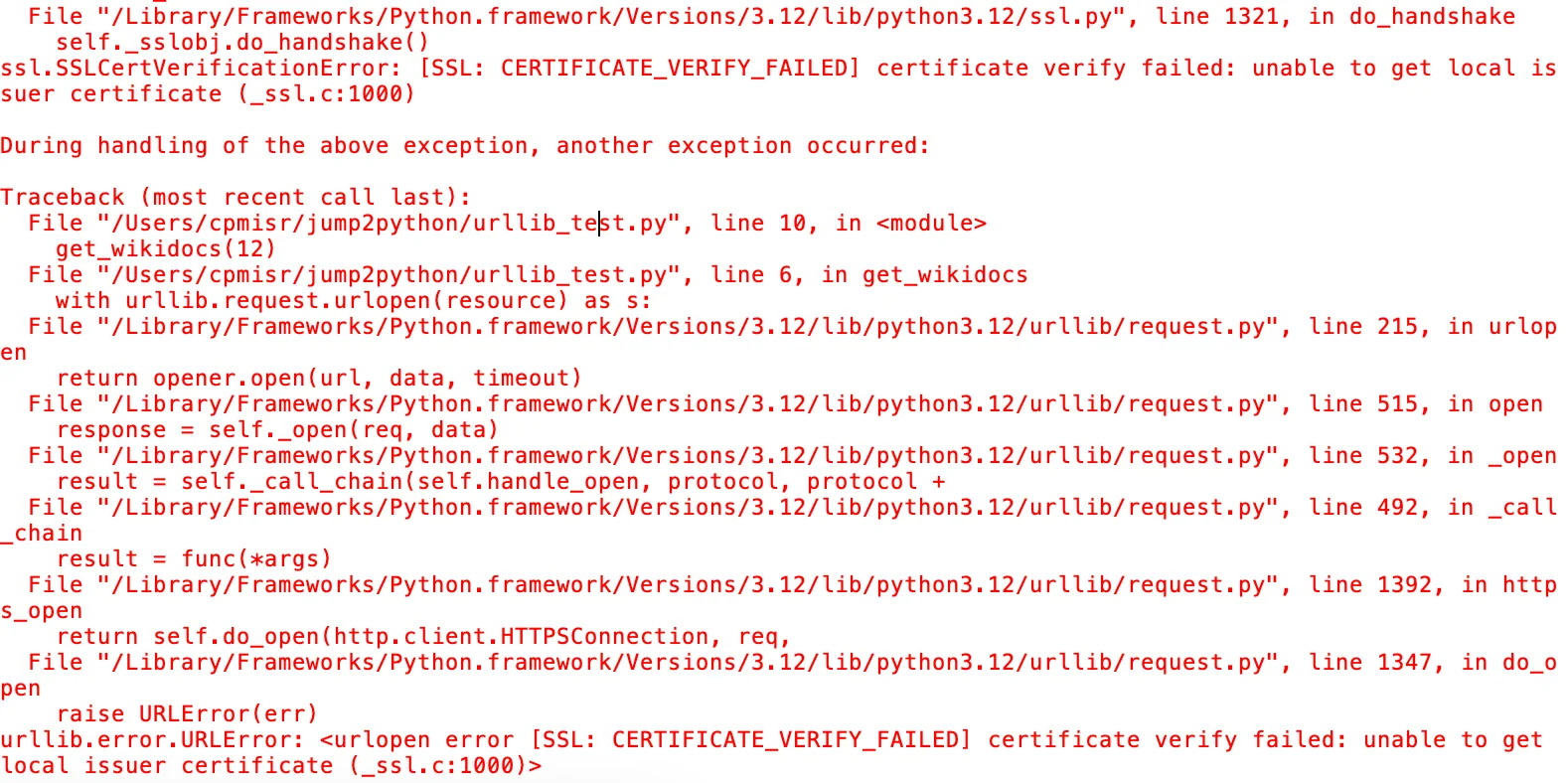
When you run the code above, you get the following error.
urllib.error.URLError: <urlopen error [SSL: CERTIFICATE_VERIFY_FAILED] certificate verify failed: unable to get local issuer certificate (_ssl.c:1000)>
In short, the SSL certificate is not a CERTIFICATE VERIFIED SSL certificate but rather self-signed SSL, so for security reasons urlopen cannot proceed.
fix
To fix it, you need to run the Install Certificates.command file at the following path.
/Applications/Python 3.12(버전마다 다름)/Install Certificates.command
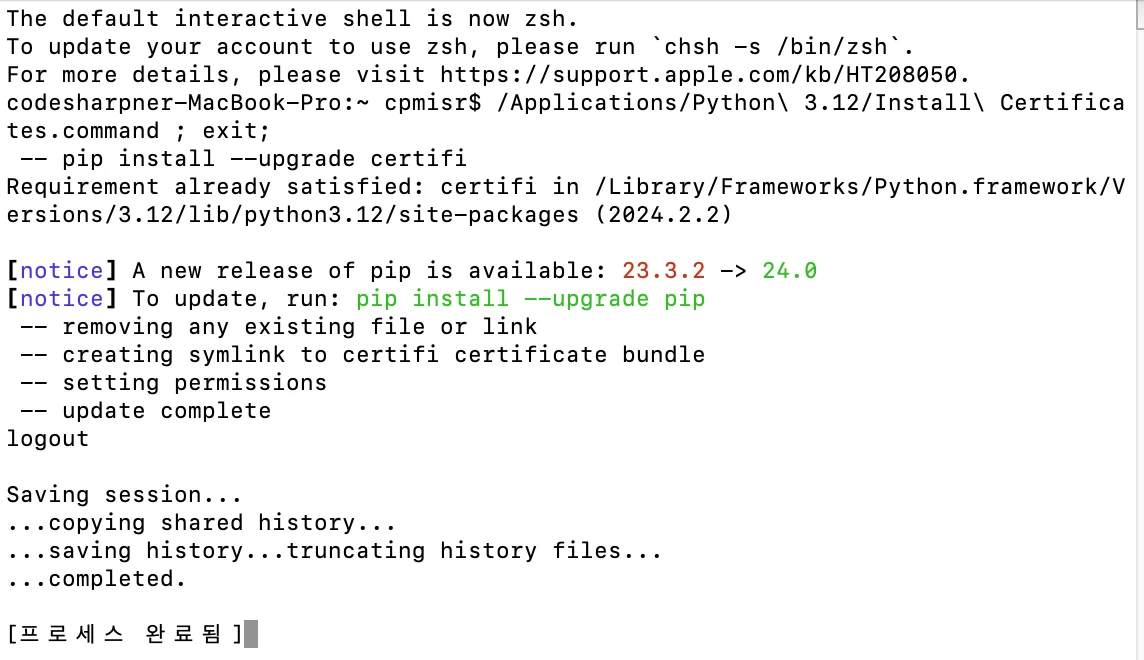
The file above runs code like the following.
#!/bin/sh

/Library/Frameworks/Python.framework/Versions/3.12/bin/python3.12 << "EOF"

# install_certifi.py
#
# sample script to install or update a set of default Root Certificates
# for the ssl module.  Uses the certificates provided by the certifi package:
#       https://pypi.org/project/certifi/

import os
import os.path
import ssl
import stat
import subprocess
import sys

STAT_0o775 = ( stat.S_IRUSR | stat.S_IWUSR | stat.S_IXUSR
             | stat.S_IRGRP | stat.S_IWGRP | stat.S_IXGRP
             | stat.S_IROTH |                stat.S_IXOTH )

def main():
    openssl_dir, openssl_cafile = os.path.split(
        ssl.get_default_verify_paths().openssl_cafile)

    print(" -- pip install --upgrade certifi")
    subprocess.check_call([sys.executable,
        "-E", "-s", "-m", "pip", "install", "--upgrade", "certifi"])

    import certifi

    # change working directory to the default SSL directory
    os.chdir(openssl_dir)
    relpath_to_certifi_cafile = os.path.relpath(certifi.where())
    print(" -- removing any existing file or link")
    try:
        os.remove(openssl_cafile)
    except FileNotFoundError:
        pass
    print(" -- creating symlink to certifi certificate bundle")
    os.symlink(relpath_to_certifi_cafile, openssl_cafile)
    print(" -- setting permissions")
    os.chmod(openssl_cafile, STAT_0o775)
    print(" -- update complete")

if __name__ == '__main__':
    main()
EOF
Learn more about the error
1. The Python installation folder includes a ReadMe.rtf file related to this error.
Original text
❗ —Original text— This package will install Python 3.12.1 for macOS 10.9 or later for the following architecture(s): arm64, x86_64.
Certificate verification and OpenSSLThis package includes its own private copy of OpenSSL 3.0. The trust certificates in system and user keychains managed by the Keychain Access application and the security command line utility are not used as defaults by the Python ssl module. A sample command script is included in /Applications/Python 3.12 to install a curated bundle of default root certificates from the third-party certifi package (https://pypi.org/project/certifi/). Double-click on Install Certificates to run it.
The bundled pip has its own default certificate store for verifying download connections.
Install OptionsYou can control some aspects of what is installed by this package. To see the options, click on the Customize button in the Installation Type step of the macOS installer app. Click on a package name in the list shown to see more information about that option,
Using IDLE or other Tk applicationsThis package includes its own private version of Tcl/Tk 8.6. It does not use any system-supplied or third-party supplied versions of Tcl/Tk.
Due to new security checks on macOS 10.15 Catalina, when launching IDLE macOS may open a window with a message "Python" would like to access files in your Documents folder. This is normal as IDLE uses your Documents folder as its default when opening and saving files; you can still choose other locations in the Open and Save file dialog windows. Click on the OK button to proceed.
Apple Silicon Mac supportOn Apple Silicon Macs, it is possible to run Python either with native ARM64 code or under Intel 64 emulation using Rosetta2. This option might be useful for testing or if binary wheels are not yet available with native ARM64 binaries. To easily force Python to run in emulation mode, invoke it from a command line shell with the python3-intel64 command instead of just python3.
Other changesFor other changes in this release, see the What's new section in the Documentation Set for this release and its Release Notes link at https://www.python.org/downloads/.
Korean translation
❗ This package installs Python 3.12.1 for macOS 10.9 or later for the following architectures: arm64, x86_64.
Certificate verification and OpenSSL
This package includes its own private copy of OpenSSL 3.0. The trusted certificates in the system and user keychains managed by the Keychain Access application and the security command-line utility are not used as defaults by Python's ssl module. A sample command script for installing a curated bundle of default root certificates from the third-party certificate package (https://pypi.org/project/certifi/) is included in /Applications/Python 3.12. Double-click Install Certificates to run it.
The bundled pip has its own default certificate store for verifying download connections.
Install Options
You can control some aspects of what this package installs. To see the options, click the Customize button in the Installation Type step of the macOS installer app. Click a package name in the displayed list to see more information about that option,
Using IDLE or other Tk applications
This package includes its own private version of Tcl/Tk 8.6. It does not use any system-provided or third-party versions of Tcl/Tk.
Because of new security checks in macOS 10.15 Catalina, when launching IDLE, macOS may open a window saying that "Python" would like to access files in your Documents folder. This is normal because IDLE uses your Documents folder as the default when opening and saving files, and you can still choose other locations in the Open and Save file dialog windows. Click the OK button to continue.
Apple Silicon Mac support
On Apple Silicon Macs, Python can be run either with native ARM64 code or under Intel 64 emulation using Rosetta2. This option may be useful for testing or when native ARM64 binaries are not yet available. To easily force Python to run in emulation mode, invoke it from a command-line shell with the python3-intel64 command instead of python3.
Other changes
For other changes in this release, see the What's New section of the documentation set for this release and its Release Notes link (https://www.python.org/downloads/).
Translated with DeepL.com (free version)
2. Why this error occurs
-
urllib.request used in Python performs web crawling through a library called 'Pyppeteer'.
-
Pyppeteer can control a Chromium-based web browser. (Pyppeteer is the unofficial Python port of Puppeteer for Node.js, which is maintained by Google. In other words, it is the third-party certifi package mentioned in ReadMe.rtf.)
-
Because the Python installation does not have SSL certificates, 'Pyppeteer' encounters an error while scraping through Chrome.
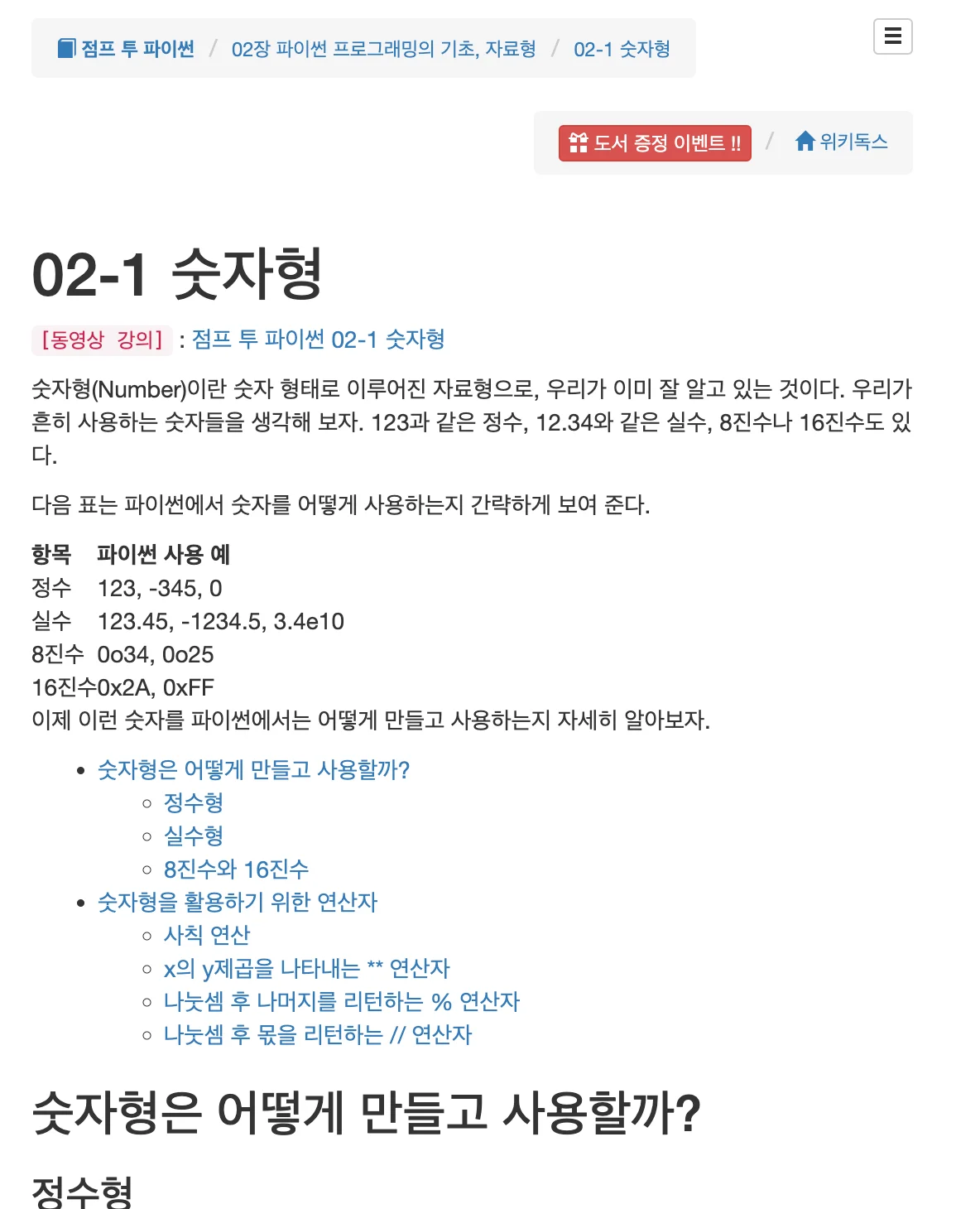
Result of urllib.request.urlopen() after fixing the error

reference.
Jump to Python 05-6 Standard Library